

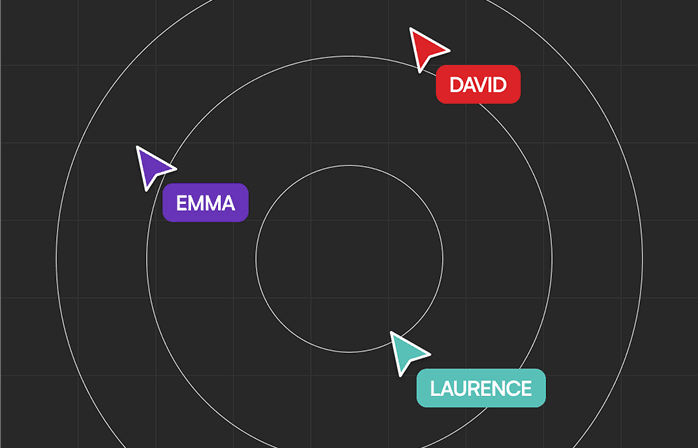
The romantic image of a design studio is everyone shoulder to shoulder at a long table, sketching on whiteboards, constantly riffing off each other's energy — still has real appeal.
But the reality is that most creative teams now operate somewhere between fully distributed and hybrid, and the old models of collaboration don't map cleanly onto this new landscape.
The question isn't whether remote design collaboration works — it does, when you have the right tools and systems. The question is which tools actually make the work better, and which ones just create the appearance of collaboration without the substance.
The Core Stack: What You Actually Need
After working across time zones with distributed teams for the past few years, we've settled on a core set of tools that handle the fundamentals without drowning us in complexity. Here's what makes the cut.
Figma has become the default for a reason — real-time multiplayer design, commenting directly on the canvas, version history that actually works, and handoff to development that doesn't require translation. If you're still emailing static mockups back and forth, you're working with one hand tied behind your back.
For deeper feedback and async collaboration, Loom has been essential. Being able to record a 3-minute walkthrough of a design concept — with your voice explaining the thinking behind decisions — is vastly more efficient than writing it out or waiting for a meeting. The person on the other end can watch at 1.5x speed, leave timestamped comments, and respond when it makes sense for their timezone.
Notion handles everything that lives around the design work — project briefs, design systems documentation, decision logs, meeting notes. The ability to embed Figma files directly into project pages means context lives in one place rather than scattered across tools.
The Tools That Sound Good But Rarely Deliver
There's a graveyard of collaboration tools that promise the world and deliver friction. Virtual whiteboards were supposed to replace in-person brainstorming but mostly just remind you how much better actual whiteboards are. Most video meeting tools add latency and fatigue without solving the core problem — which is that not everything needs to be synchronous.
The lesson we've learned is that the best remote collaboration tools are the ones that reduce the need for synchronous collaboration. Async communication, clear documentation, and well-structured feedback loops beat hopping on yet another Zoom call.
Making Remote Work Actually Work
Tools are important, but systems matter more. The best remote design teams we've seen share a few common habits. They document decisions clearly and publicly so anyone can understand how the work evolved. They default to async communication and reserve synchronous time for the moments that genuinely benefit from it — kickoffs, critiques, big strategic discussions.
They also build in rituals that create connection even when people aren't in the same room. Regular show-and-tell sessions where designers walk through work in progress. Design system contribution days where the whole team mob-programs new components together. Social channels where people share inspiration without the pressure of it needing to be 'productive.'
What We Use at Peak
Our stack is deliberately lean. Figma for design work, Loom for walkthroughs, Notion for documentation, Slack for quick coordination, and a standing Monday critique call where the whole team reviews work together. That's it. Everything else is noise.
The most important part isn't the tools themselves — it's the discipline to use them consistently. A well-maintained Notion project page is worth more than a dozen half-used tools. A design system that's actually documented beats one that lives in someone's head.
Remote design collaboration works when you stop trying to recreate the office and start building systems that take advantage of what remote makes possible — async deep work, flexible schedules, access to talent regardless of location. The tools are just there to support that shift.